AWS Online Live Class by Experts
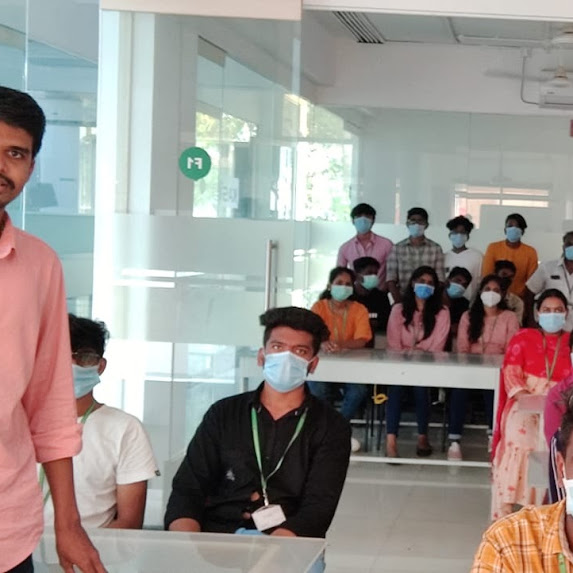
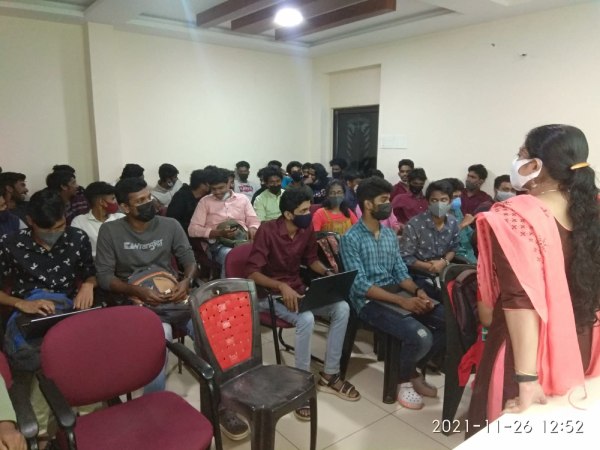
Our Training/Internship Process

AWS - Syllabus, Fees & Duration
AWS Technical Essentials
- Introduction and History of AWS
- AWS Infrastructure: Compute, Storage, Networking
- AWS Security, Identification and Access Management
- AWS Database
- AWS Management Tools
Virtual Private Cloud
- Introduction to Network Switches & Virtual Private Cloud
- VPC & Subnets
- Private and Public Subnets
- Internet Gateways, VPC Peering & NAT Gateways
- VPN Setup
- IP Addressing in AWS
Elastic Load Balancing & Auto Scaling
- Components and types of load balancing
- Auto scaling and its benefits
- Life cycle of auto scaling
- Components and policies of auto scaling
- Assignment : Configure Load Balancer, Auto scaling as per utilization in different situations
Storage
- Introduction to Block & Object storage mechanism
- Introduction to Elastic Block Store - EBS
- EBS Snapshots
- EBS Volume Types
- Instance Store Volumes
- Introduction to Simple Storage Service (S3)
- Features of S3
- Storage Types
- Static Website Hosting
- Versioning
- Life Cycle Policy
- Cross Region Replication
- Encryption
- Basics of Athena
- Introduction to EFS
- Connect a drive via network
- Share the drive among multiple servers
Amazon EC2
- EC2 Overview
- Amazon Machine Images(AMI)
- AMI creation
- Security groups
- Key pairs
- Assigning elastic IP address
- Elastic IP v/s Public IP
- Bootstrap Scripts
- Overview of Amazon EBSEBS Volume intro
- EBS vs Instance Store
- Upgrading EBS volume
- Management Tools Cloud
- Trail Cloud
- Watch Cloud
- Formation Trusted Advisor
- Assignment - Creating EC2, Various login ways from different OS, putty and putty keygen use, Assigning EIP, AMI assignment, Creating and restoring snapshot, snapshot to AMI, EC2Bootstrapping, Cloud formation & Cloud Watch assignments.
Identity & Access Management
- Understanding the IAM Policies
- IAM User, IAM Policy and IAM Role
Databases
- Introduction to Relational Databases
- Creating our first database structure in MySQL
- Getting started with DynamoDB
- Know about ElastiCache, Redshift
Domain Name System
- Introduction to DNS
- Understanding DNS Records
- Introduction to Route53
- Register a Domain using Route 53
- Manage DNS Hosts
Serverless Computing
- Serverless Introduction
- Lambda
- Setting up Server Auto Start with a Lambda Function
- Elastic Beanstalk
- Host a Sample PHP website using Elastic Beanstalk
AWS Encryptions
- AWS Security
- KMS Overview
- SSM Parameter Store
- Could
- HSM
Migration Service and Disaster Recovery
- Database Migration Services
- DataSync Overview
- AWS Backups
Monitoring
- Understanding CloudWatch
- Setup Alarms for Matrix changes
- Auditing AWS environment with CloudTrail
- Schedule Event Rules using Target based services
-AWS Certification Exam Readiness Workshop Solutions Architect Associate Level
- Testing center information and expectations
- Examination Review and Structure
- Content domains and query breakdown
- Topics and concepts with content domains
- Question structure and interpretation techniques
- Post Class - Practice Exam Questions
- 01 including the actual exam voucher
This syllabus is not final and can be customized as per needs/updates
- Since 2001, Making IT Experts by Experts
- Duration: 40 Hours (Vary as per your skill)
- Course Fees
- Individual Live Classes (1:1)
- Batch Classes @ Low Fees
- Training on Your Time, Any Where
- Access to Recorded Videos
- Practical Internship on Projects
- 100% Placement Support by our jobsHybrid.com
- Training/Internship Certificate
- Agra
- Ahmedabad
- Alappuzha
- Aurangabad
- Bangalore
- Belgaum
- Bellary
- Bhubaneswar
- Chennai
- Cochin
- Coimbatore
- Delhi
- Dindigul
- Erode
- Gulbarga
- Guntur
- Gurgaon
- Haryana
- Hyderabad
- Idukki
- Indore
- Jaipur
- Kalyan
- Kannur
- Kanpur
- Kasaragod
- Kerala
- Kolkata
- Kollam
- Kottayam
- Kozhikode
- Lucknow
- Madurai
- Malappuram
- Mangaluru
- Mumbai
- Mysuru
- Nagpur
- Nashik
- Navi Mumbai
- Nizamabad
- Noida
- Palakkad
- Pathanamthitta
- Pune
- Punjab
- Salem
- Shimla
- Solapur
- Surat
- Thane
- Thanjavur
- Thirunelveli
- Thoothukudi
- Thrissur
- Tiruchirappalli
- Tiruppur
- Trivandrum
- Vadodara
- Varanasi
- Vellore
- Vijayawada
- Visakhapatnam
- Wayanad
Course Highlights

Our Locations

 . AWS certifications emphasize an examination of a candidate's abilities, as well as the best, practices at their disposal. The console that comes with it can be used to design, test, and monitor the application. Before accepting AWS training, we must first understand some technology fundamentals, such as basic knowledge of operating systems such as Windows, Linux, and others, as well as basic knowledge of networking and virtualization.
During this coaching from Kerala, you will put AWS best practices into action. Knowledge of any programming language, basic encoding skills (because certain supplementary software may require it), and an overview of public and private clouds. One advantage of moving to the AWS cloud is that it can scale with your company. Amazon Web Service does not require any coding.
AWS certification is a level of Amazon Web Services cloud expertise obtained by an IT professional after passing one or more of the public cloud provider's exams. They provide a wide range of paid services through which Amazon allows customers (ranging from individuals to governments) to store, analyze, share, transfer, and compute data in their cloud storage.
. AWS certifications emphasize an examination of a candidate's abilities, as well as the best, practices at their disposal. The console that comes with it can be used to design, test, and monitor the application. Before accepting AWS training, we must first understand some technology fundamentals, such as basic knowledge of operating systems such as Windows, Linux, and others, as well as basic knowledge of networking and virtualization.
During this coaching from Kerala, you will put AWS best practices into action. Knowledge of any programming language, basic encoding skills (because certain supplementary software may require it), and an overview of public and private clouds. One advantage of moving to the AWS cloud is that it can scale with your company. Amazon Web Service does not require any coding.
AWS certification is a level of Amazon Web Services cloud expertise obtained by an IT professional after passing one or more of the public cloud provider's exams. They provide a wide range of paid services through which Amazon allows customers (ranging from individuals to governments) to store, analyze, share, transfer, and compute data in their cloud storage.