MongoDB Online Live Class by Experts
Our Training/Internship Process

MongoDB - Syllabus, Fees & Duration
Module 1: Introduction to NoSQL
- What Is NoSQL?
- Why NoSQL databases are required
- Types of NoSQL Database
- NoSQL vs SQL Comparison
- ACID & BASE Property
- CAP Theorem
- Benefits of NoSQL databases
- Installation
- Start and Stop the MongoDB process
Module 2: MongoDB Architecture
- Document, Collection, Databases
- JSON and BSON
- Storage Engines
- Read Path
- Journaling
- Write Path
- Working Set
- Capped Collection
- Oplog collection
- TTL Index
- GridFS
Module 3: CRUD Operations
- MongoDB Data Types
- Inserting, Update, Deleting the documents
- Querying the documents
- Bulk insert operation
- Updating multiple document
- Limiting documents
- Filtering documents
Module 4: Schema Design and Data modeling
- Dynamic Schema
- What is Data modeling?
- RDBMS and MongoDB Data modeling difference
- Embedding Document
- Reference Document
Module 5: Indexes
- Index concepts in MongoDB
- Types of indexes
- Indexes and its use cases
- Creating Indexes
- Managing Indexes
- Index strategies
Module 6: Database Administration in MongoDB
- Database status
- Troubleshooting issues
- Current Operations
- Rotating log files
- Users and Roles
- Copy and Clone database
- DB and Collection Stats
- Explain plan
- Profiling
- Changing configuration files
- Upgrading the database
Module 7: MongoDB: Backup and Security
- Concept of backups
- mongoexport/mongoimport
- mongodump/mongorestore
- Oplog backups
- LVM Backups
- Backups using MMS/Ops Manager
- Purpose of security
- Authentication and authorization
- Role based access control
Module 8: Replication in MongoDB
- Concept of replication
- ReplicaSet member roles
- Voting and Electing primary
- Role of Oplog in replication
- Read and Write Concern
- Arbiter,Hidden and Delayed replica node
- Priority settings
- Replicaset nodes health check
- Concept of resyncing the nodes
- Rollbacks during failover
- Keyfile authentication
Module 9: MongoDB Scalability
- Concept of Scalability
- Sharding concept
- Shardkey and Chunks
- Choosing shardkey
- Sharding components
- Types of Sharding
- Balanced data distribution
- Sharded and Non-sharded collection
- Sharded Replicaset
- Tag aware sharding
Module 10: MongoDB Monitoring and Other Tools
- MMS Manager
- Ops Manager
- Mongo utility commands
- Mongo developer tools
- MongoDB Atlas
- MongoDB client drivers
This syllabus is not final and can be customized as per needs/updates
- Since 2001, Making IT Experts by Experts
- Duration: 90 Hours (Vary as per your skill)
- Course Fees
- Individual Live Classes (1:1)
- Batch Classes @ Low Fees
- Training on Your Time, Any Where
- Access to Recorded Videos
- Practical Internship on Projects
- 100% Placement Support by our jobsHybrid.com
- Training/Internship Certificate
- Agra
- Ahmedabad
- Alappuzha
- Aurangabad
- Bangalore
- Belgaum
- Bellary
- Bhubaneswar
- Chennai
- Cochin
- Coimbatore
- Delhi
- Dindigul
- Erode
- Gulbarga
- Guntur
- Gurgaon
- Haryana
- Hyderabad
- Idukki
- Indore
- Jaipur
- Kalyan
- Kannur
- Kanpur
- Kasaragod
- Kerala
- Kolkata
- Kollam
- Kottayam
- Kozhikode
- Lucknow
- Madurai
- Malappuram
- Mangaluru
- Mumbai
- Mysuru
- Nagpur
- Nashik
- Navi Mumbai
- Nizamabad
- Noida
- Palakkad
- Pathanamthitta
- Pune
- Punjab
- Salem
- Shimla
- Solapur
- Surat
- Thane
- Thanjavur
- Thirunelveli
- Thoothukudi
- Thrissur
- Tiruchirappalli
- Tiruppur
- Trivandrum
- Vadodara
- Varanasi
- Vellore
- Vijayawada
- Visakhapatnam
- Wayanad
Course Highlights

Our Locations

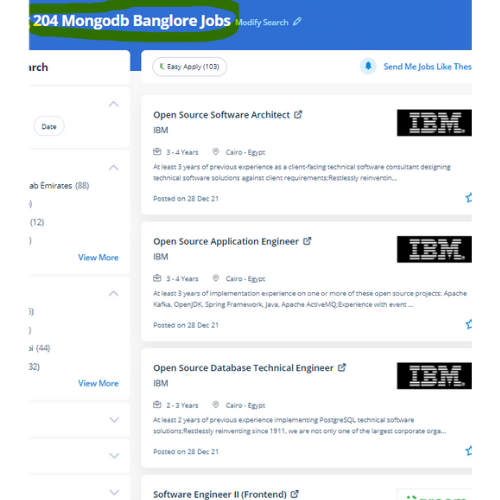
 MongoDB could be a collection of documents, it contains a group of key-value pairs. MongoDB might be a document-based, distributed database designed for modern application developers. It supports replication; if the first server goes down throughout a transaction, then the secondary server handles the transaction without human interaction. Complete, updated list. it's more relevant these days than ever for cloud-native applications. data sharding in MongoDB supports storing data across many machines to boost the performance of large-scale databases. this will be possible with MongoDB, which can be as versatile because it's powerful. data is unbroken as a document using tables and rows as in a relational database. Complete, updated list. Relative databases have rigid schemes that limit flexibility with the data structure.